Showing posts sorted by date for query windows update. Sort by relevance Show all posts

25 July 2026

LG monitors are using Windows 11 feature to serve adware

LG has come under fire over its Monitor App Installer, which is automatically and silently installed when plugging in some of the company's monitors.

In this case, the monitor in question is a new LG UltraGear. Upon first connection to a Windows 11 device, the OS can check the associated device metadata and automatically install the manufacturer's UWP device app.

For that to happen, Microsoft says the user must have opted into Recommended Settings during Windows setup, be signed in to the Microsoft Store, and be online.

UPDATE:  LG has agreed to stop its Monitor App Installer pestering users with a McAfee pop-up after Microsoft's Windows boss intervened.

Pavan Davuluri wrote on social media: "We've connected with the team at LG and as an immediate next step, they have agreed to disable the McAfee pop-up from their app.

www.theregister.com


26 June 2026

Great news: Microsoft adds another year to Windows 10 extended update program!


Microsoft ended official support for Windows 10 in 2025, but the company may have a harder time than expected putting the operating system out to pasture. After promising a year of optional extended update support, Microsoft has changed its policy, tacking on another year to its Extended Security Updates (ESU) program. If you are still clinging to Windows 10, you don’t have to do anything but enjoy that extra year.

The last regular updates rolled out to Windows 10 in October of last year, but the Internet can be a dangerous place for unpatched Windows machines. That was a problem for Microsoft, as Windows 11 usage had only barely surpassed Windows 10 when support ended. Microsoft’s solution was to give everyone on the old OS a free year of extended updates.

That program was set to end on October 12, 2026, but Microsoft has updated its policy with hardly a whisper, pushing back the end of extended updates to October 12, 2027. The ESU support page was updated with that date, and Microsoft’s blog post on the program has a new editor’s note confirming the change.


07 April 2026

Microsoft Windows - Secure Boot key expiry coming soon!


Back in early 2024, Microsoft announced that it was updating Secure Boot keys as they were going to become 15 years old in 2026, which is also when they are set to expire. As such, in June last year, the company shared a timeline of the change.

At the time, Microsoft had informed that new keys and certificates would be installed on user PCs via Windows Update, and in fact, the company has already rolled those out with the February 2026 Patch Tuesday updates.

So if you have got the latest Windows Updates installed you should be fine. Microsoft says that the new certs must be installed before June 2026, so make sure to get the February update or a later update as they are cumulative and will pack the necessary Secure Boot upgrade as well. READ MORE...

Need advice on the above? Contact Donline.

www.neowin.net


20 March 2026

Microsoft breaks Microsoft account sign-ins in Windows 11 with latest update


Microsoft has broken account sign-ins in Windows 11 25H2 and 24H2 with a recent update, causing error messages in apps like OneDrive and Office.

The glitch affects sign-in operations for Microsoft accounts. Businesses using Entra ID (previously known as Azure Active Directory) for application authentication are not affected.

However, users of Microsoft Teams Free, or anyone signing into Word, Excel, OneDrive, or Microsoft 365 Copilot with a Microsoft account, may see a message along the lines of "You'll need the Internet for this. It doesn't look like you're connected to the Internet" - regardless of whether the device actually is.

According to Microsoft: "This issue occurs when the device enters a specific network connectivity state, and may resolve on its own." A restart should also fix it, provided the device is online at the time.

"If the device is restarted without an active internet connection," Microsoft cautioned, "it might return to a connectivity state where the issue can occur again."

As for a fix that doesn't involve a weary reach for the big red button – virtual or otherwise – Microsoft wrote: "We are working to release a resolution for this issue in the next few days." This sounds a lot like yet another out-of-band update to deal with whatever the company broke in the March 10 update for Windows 11 25H2 and 24H2.

www.theregister.com


23 January 2026

Microsoft says uninstall Windows 11 KB5074109 to fix Outlook POP, PST hang, as 2026’s first update causes havoc

If your Outlook Classic freezes or hangs when you use POP accounts or deal with PST files, you’ll need to remove Windows 11 KB5074109 or use webmail. In some cases, third-party apps can also become unresponsive if they save files to cloud storage, such as OneDrive. These two issues are apparently related to a single core problem.

It’s very rare for Microsoft to admit that it messed up, but the January 2026 Update is a disaster, as it continues to break features in Windows 11, including something as basic as Sleep mode (S3) on older PCs. In our tests, Windows Latest found that the update causes a black screen, resets the desktop background, breaks File Explorer customization, among other problems.

KB5074109 is a mandatory update that began rolling out on January 13, 2026 and it installed automatically on our PCs. Your PC is using this update if you see OS Build 26200.7623 / 26100.7623 / in Settings > System > About or winver.

Meanwhile in other news: Windows 11 continues to lose market share to Windows 10. Oh dear Microsoft - when you go for a cash grab, and your code is garbageyou reap what you sow!

UPDATE TheRegister 260126: Microsoft probes Windows 11 boot failures tied to January security updates. Some machines are failing to start after security updates, prompting yet another Microsoft investigation

www.windowslatest.com


19 January 2026

Microsoft forced to issue emergency out of band updates for Windows 11 after latest security patches broke PC shutdowns and sign-ins

The latest OS updates for Windows 11 introduces two major bugs that caused issues with shutting down your PC or signing into your PC using Remote Desktop.

Microsoft's first update for Windows 11 in 2026 has already caused two major issues that saw users unable to fully shutdown their PCs or sign-in into a device when using Remote Desktop. These are two serious issues that were not spotted by Microsoft during testing, and are so severe that the company has now issued an emergency fix to address the problems.

This isn't the first time Microsoft's lack of quality control has impacted Windows 11 PCs in a major way. Being unable to shut down your PC due to a recent OS update is a huge oversight on Microsoft's part, but this is the latest in a long list of updates over the last year to cause a major issue like this.

The out of band updates, KB5077744 and KB5077797, are available now via Windows Update and is rolling out to everybody. Once installed, your PC should go back to being able to shut down successfully, and signing-in via Remote Desktop should work again.

UPDATED - www.neowin.netMicrosoft has also confirmed problems on classic Outlook as many users claim that the new Windows 11 25H2 and 24H2 update, KB5074109, made the app "completely unusable" as there are random hangs and freezes, unsaved email progresses, and more.

www.windowscentral.com


12 November 2025

Broken wizard forces Microsoft to issue out-of-band Windows 10 patch

Microsoft released an emergency out-of-band update on November 11 to fix a malfunctioning enrolment wizard that prevented eligible Windows 10 users from accessing Extended Security Updates (ESU).

Despite months promoting the ESU program as the solution for Windows 10 devices after end-of-support from October 14, Microsoft failed to ensure its enrolment system actually worked. For affected users, the broken wizard meant security updates would stop flowing entirely — a critical failure requiring an urgent fix.

So it came to pass, that on the first Patch Tuesday after free support for Windows 10 ended, Microsoft released KB5071959 for consumer Windows 10 devices not enrolled in the ESU program. Whoopsie.

Microsoft has made several concessions to Windows 10 consumers over the past year. In September, it offered a free year of ESU updates to users in the European Economic Area (EEA). It also allowed users to qualify by syncing settings to Microsoft's cloud or spending 1,000 Microsoft reward points. Otherwise, consumers were asked to pay $30 annually for twelve more months support.

Affected users must now install the emergency update, re-enroll their device, and then the Windows 10 November 2025 security update should be available.

www.theregister.com


20 October 2025

"The most secure version of windows ever" - hey Microsoft, how's that working out for ya?...

www.bleepingcomputer.com - Microsoft's October Windows 11 updates have broken the "localhost" functionality, making applications that connect back to 127.0.0.1 over HTTP/2 no longer function properly.

Localhost refers to the local computer or device you're currently using, which can be accessed through the special IP address 127.0.0.1.

www.tomshardware.com - Windows 11's October update just broke the Windows Recovery Environment — USB keyboards and mice unusable in Windows RE after latest bug hits.

Windows Recovery Environment (RE), as the name suggests, is a built-in set of tools inside Windows that allow you to troubleshoot your computer, including booting into the BIOS, or starting the computer in safe mode. It's a crucial piece of software that has now, unfortunately, been rendered useless (for many) as part of the latest Windows update. A new bug discovered in Windows 11's October build, KB5066835, makes it so that your USB keyboard and mouse stop working entirely, so you cannot interact with the recovery UI at all.

www.microsoft.com


10 April 2025

Microsoft Outlook - a bit like Coke!


Baffled by the plethora of Outlook options out there? You aren't alone. Microsoft veteran Scott Hanselman posted a list of some more variants that could be used to do the same thing.

It's a problem common to several Microsoft products. A file needs to be opened, but which app should be used? Should it be Outlook New, or Outlook (New)? With tongue firmly in cheek, Hanselman listed some more options: Outlook (Zero Sugar), Outlook (Caffeine Free), and so on.

Hanselman, Developer Community veep at Microsoft, also included Outlook '95, although to our mind the peak came with the version of Outlook in Office 97. A happier, more trusting time when security was less important.

While users can create multiple Outlook profiles to store email account details and data locations, Hanselman's post on Bluesky highlights an issue facing many users of Microsoft's software: which incarnation of the application to use.

Teams users often find themselves presented with a variety of applications – Microsoft Teams and Microsoft Teams (Personal), for example, can often appear side by side in the system tray.

As for Outlook, users are likely to have multiple versions installed. Microsoft forced the new version onto devices as part of a Windows update and renamed the previous version to Outlook (Classic) so the pair could run side by side. While support for the Classic version of Outlook will persist until at least 2029, Microsoft would like users to move to the new version despite it lacking many of its predecessor's functions.

According to Microsoft: "The new Outlook for Windows, built upon modern service architecture, is inspired by the Outlook web experience." It also does not support the COM add-ins used by many enterprises to glue corporate workflows together. READ MORE...

www.theregister.com


04 January 2025

A New Year's gift from Microsoft: Surprise, your scanners don't work

Windows 11 24H2 is still causing problems with multifunction devices despite Microsoft marking an issue with the eSCL scan protocol as resolved.

A Register reader got in touch to say they still had trouble with a Canon ImageClass MF269dw, a multifunction printer, copier, scanner, and fax machine. They said: "It works on a Windows 10 machine, but not on Windows 11, unless both the computer and the scanner are on wired Ethernet." Our reader also noted that a Canon technician they'd spoken to said the issue was "erratic," adding: "It seems to work or fail randomly for different users in different situations."

Microsoft issued a compatibility safeguard hold on USB-connected devices using the Scanner Communication Language (eSCL) protocol in November after users who installed the Windows update experienced glitches with device discovery. The issue was reported resolved by Microsoft in December.

However, it seems that KB5048667 might not have fixed all the problems for Canon owners. According to our reader: "Canon support tells me that the 24H2 eSCL issue still is not fixed."

www.theregister.com


04 December 2024

Outlook is poor for those still on Windows Mail, Calendar, People apps by end of year

Microsoft is preparing to kill off the old Windows Mail, Calendar, and People apps by the end of this month and shift users to the Outlook for Windows app.

In November, Microsoft confirmed there would be no reprieve for the apps. It will be possible to export local emails, calendar events, and contacts that users have stored in Mail, Calendar, and People into the new Outlook up until December 31, 2024. After that, however, the ability to send or receive mail will be revoked.

"The new Outlook for Windows is for everyone. Now everyone with Windows gets the best of Outlook built into Windows for free," Microsoft said. AI is also on hand "to help you write impactful, clearer, mistake-free messages."

While it will continue to support "Classic" Outlook, Microsoft wants users to migrate to the new app. One user complained: "I don't need a bloated mail client. Mail and Calendar apps just work. If I need a more fully featured email client, I will just use the Office 365. But the 'new' Outlook is garbage."

If you haven't had the misfortune to try the Outlook (new) app - don't. It is like the old Windows Live Mail program on steroids. Probably even worse though as it tries to take over from the proper full fat Outlook - but isn't compatible with PSTs! Microsoft seems to be making all their decisions as bad decisions: Copilot, Recall, Win11, new Outlook - all horrible...

UPDATE 14 March 2025: Microsoft says button to restore classic Outlook is broken​Microsoft is investigating a known issue that causes the new Outlook email client to crash when users click the "Go to classic Outlook" button, which should help them switch back to the classic Outlook.

www.theregister.com


08 November 2024

CrowdStrike part 2: crashes Microsoft Office on Windows 11 24H2

Enterprise users at companies that employ CrowdStrike antivirus software and have received prompts to upgrade their operating systems to Windows 11 24H2 should probably wait. The security toolchain has encountered another faulty update that could make Microsoft Office apps unusable. Fortunately, the problem isn't as widespread as the incident from earlier this year.

Microsoft is investigating an error that causes Microsoft Office applications like Word and Excel to crash after users upgrade to Windows 11 24H2. The problem only impacts companies and managed IT environments, so those using Windows 11 Home or Pro on personal devices need not worry.

The issue was traced to an update for CrowdStrike's Falcon sensor software. It triggers when a host's Prevention Policy engages the "Enhanced Exploitation Visibility Prevention Policy." Other antivirus programs and older versions of Windows likely aren't affected, but Microsoft hasn't ruled out the possibility.

www.techspot.com


11 October 2024

Updating to Windows 11 24H2? Make sure you have plenty of spare drive space!

Microsoft’s big annual Windows 11 update has ended up being a massive headache for numerous users, with new problems constantly cropping up and getting in the way of otherwise useful changes and features.

Not only have we seen blue screen crashes related to gaming and Intel drivers and disappearing mouse cursors, but the major Windows 11 24H2 update apparently also creates an enormous cache folder during installation that can’t be deleted. How enormous are we talking? An impressive 8.63GB in size, a sizable chunk of all but the largest of drives.

To be clear, the existence of the cache isn’t an issue. Windows always creates a cache when installing Windows updates, which is meant to be a temporary holding place for installation files. What isn’t normal is that the cache can’t be removed after the update is applied.

According to Windows Latest, attempts to delete the cache via the Control Panel are unsuccessful. Although you can select the cache for deletion and initiate the deletion process, the cache remains. Various other methods to remove the Windows update cache failed, too. It only cleared after a clean Windows installation altogether.

www.pcworld.com


16 August 2024

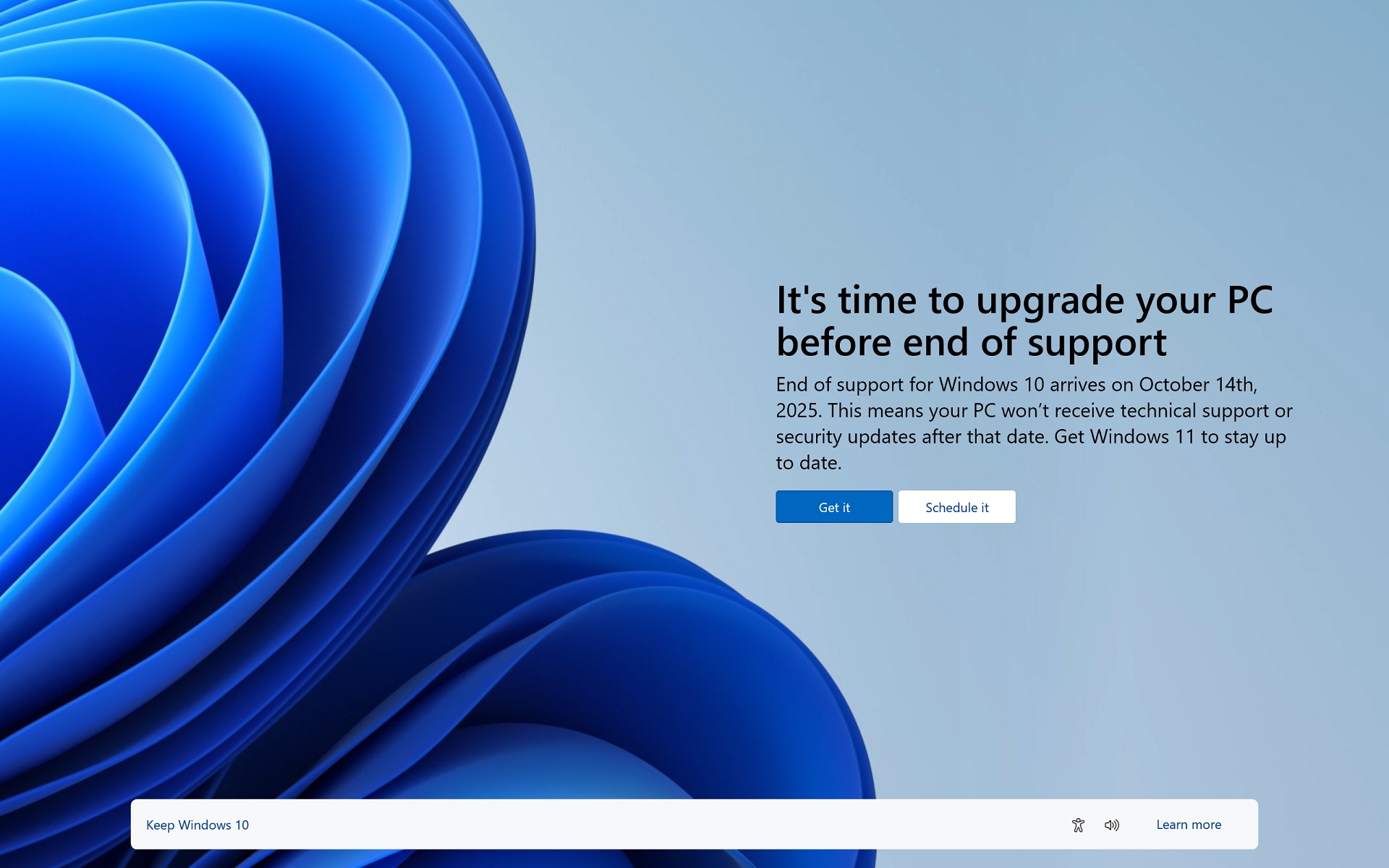
Microsoft pauses Windows 11 full-screen alerts on Windows 10 after feedback

Microsoft initially tested Windows 11 naggings with a smaller group of Windows 10 users, mostly those with Home License, but some Pro and Business users also observed the alerts. A full-screen popup appeared, usually after a reboot, reminding users of the "benefits" (LOL!) of upgrading to the new operating system.

Microsoft planned to expand the invitation to more Windows 10 users from April 2024 but dismissed the plan shortly after the announcement. In an update to the Microsoft 365 advisory, Microsoft has quietly confirmed that it has paused this Windows 11 nagging after “feedback” from users.

This change was first spotted and reported by Windows Latest, and it states that: To honour our user’s feedback, these invitations will no longer begin with the April 2024 monthly security update. We will share a new timeline in the coming months.

Meanwhile, in other news: Win 11 still proves unpopular with users. Currently: Win10 = 65% of PCs, while Win11 = 31%. Even after Microsoft is forcing the issue with forced upgradesthreats & the fact all new PCs come with Win 11!

www.windowslatest.com


01 July 2024

Microsoft confirms recent Windows 11 updates break taskbar


Windows 11 versions 22H2 and 23H2 recently received a non-security update with a bunch of new features and small fixes. Sadly, KB5039302 turned out to be a real troublemaker. Microsoft has already confirmed that it causes infinite restarts on certain systems, and now, there is another known bug.

Microsoft published a new message on its official Windows Health Dashboard website to warn users that KB5039302 is breaking the taskbar on specific Windows 11 editions, namely Windows N.

For those unfamiliar, Windows N is a special version of the operating system with a bunch of media features removed, such as the Windows Media Player app. Microsoft also said that the bug affects customers with regular editions who turned off media features in the "Turn Windows features on or off" UI.

According to Microsoft and the official documentation, affected customers cannot interact with the taskbar, while the rest of the UI and File Explorer continue operating as usual:

After installing the June 2024 Windows preview update (KB5039302), released June 25, 2024, you are likely to face issues with the Taskbar. This issue is only expected to occur if you are using a Windows N edition device or if you turn off the ‘Media Features’ via Control Panel->Programs-> Programs and Features -> Turn Windows features on or off. N editions of Windows include the same functionality as other editions of Windows, except for media-related technologies, Windows Media Player, and certain preinstalled media apps.

You might not be able to view or interact with the Taskbar after logging in to your device once the update is installed. Other applications like File Explorer, Desktop and Settings will continue to work.

Microsoft is working on a resolution, which will be available in a future update. As a reminder, KB5039302 is no longer available for download - Microsoft pulled it after confirming reports about infinite restarts.

www.neowin.net


02 May 2024

Microsoft says April Windows updates break VPN connections

Microsoft has confirmed that the April 2024 Windows security updates break VPN connections across client and server platforms.

The company explains on the Windows health dashboard that "Windows devices might face VPN connection failures after installing the April 2024 security update or the April 2024 non-security preview update."

"We are investigating user reports, and we will provide more information in the coming days," Redmond added.

The list of affected Windows versions includes Windows 11, Windows 10, and Windows Server 2008 and later.

www.bleepingcomputer.com


24 April 2024

Windows 11 - Microsoft has finally found a way of making it even more rubbish!

A recent update sees Windows 11 now displays adverts via the Start menu for all users. The recent KB5036980 optional update enabled this function and features 'recommendations' that advertise apps listed in the Microsoft store. Though this update is optional for now, one may speculate that Microsoft could eventually make this a mandatory update. 

It also seems that the company has implemented this with little time to gather feedback from its Beta users. The developers initially implemented this change in its Windows 11 preview build 22635.3495 two weeks ago, which gives very little time to gather sufficient feedback from a limited set of Beta testers. Hence, one would question the company's haste in implementing this. 

Microsoft is ready to introduce updates and features via the highly anticipated Windows 11 24H2 build. However, decisions like introducing adverts would bring sour experiences and perspectives about the operating system. For now, this new feature can be disabled by turning off the 'Show recommendations for tips, app promotions, and more' option.

Microsoft claims it is displaying ads from a small set of curated developers, though that list would likely expand once it is set as a mandatory update. It also doesn't explain how it determines these recommendations- either based on the user's choice of activities and apps or based on different parameters. There's also the likely possibility that the team may reverse this decision in the future.

www.tomshardware.com


03 May 2023

No more feature updates for Windows 10 – version 22H2 is final

Windows 10 is reaching the end of the road, with the current release – version 22H2 – confirmed as the final one, and support for the platform is scheduled to end on October 14, 2025.

Microsoft disclosed in an update to its client roadmap that there will be no further feature updates for Windows 10, and so the current version, 22H2, will be the final build of this version of Windows.

The ultimate end of the Windows 10 lifecycle has been known about for a couple of years, when the Redmond outfit updated its product lifecycle pages to show that Windows 10 Home and Pro, as well as the Enterprise and Education editions, will all be retired on 14 October 2025 .

But it wasn’t clear until now how long before the final cut-off deadline Microsoft would continue to deliver updates to the platform, which was first released in 29 July 2015.

The good news is that all Windows 10 editions will remain in support with monthly security update releases through that date, while long-term servicing channel (LTSC) releases will continue to receive updates beyond that date based on their specific lifecycles.

However, Microsoft has made it clear that it would like users to “transition to Windows 11 now as there won't be any additional Windows 10 feature updates.”

Meanwhile in other news: Microsoft will be dropping it's own label peripherals, and switch branding to it's Surface range.

www.theregister.com


17 April 2023

Update now: emergency fix for zero-day Google Chrome vulnerability


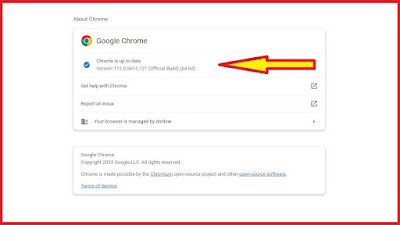
Google on Friday released an emergency update for Chrome to address a zero-day security flaw. The vulnerability, tracked as CVE-2023-2033, can be exploited by a malicious webpage to run arbitrary code in the browser. Thus, surfing to a bad website with a vulnerable browser could lead to your device being hijacked. Exploit code for this hole is said to be circulating, and may well be in use already by miscreants.

This high-severity type-confusion bug is present in at least Chrome for desktop versions prior to 112.0.5615.121. Google released that version on April 14 for Windows, Mac, and Linux to close the security hole, which lies in the V8 JavaScript engine.

The new version should be installed as soon as possible, either automatically or manually.

www.theregister.com


21 October 2022

Released at last: Windows 10 update 22H2!


Microsoft knows the important role your PC plays every day for hybrid work, learning, entertainment and gaming, and we are committed to supporting our customers using Windows 10. 

Today, we are announcing the availability of the Windows 10 2022 Update (also known as Windows 10, version 22H2). Based on customer feedback we are providing a limited scope of new features and functionality delivered via a familiar, fast and reliable update experience. Version 22H2 will continue the recent Windows 10 feature update trend of being delivered in an optimized way using servicing technology.

www.windows.com